¶ Using Wireguard App
STEP 1
Download the Wiredguard App
iOS
Via Appstore- https://apps.apple.com/us/app/wireguard/id1441195209
Android
Via Playstore- https://play.google.com/store/apps/details?id=com.wireguard.android&hl=en_GB
Windows
Via Wireguard Website- https://www.wireguard.com/install/
Step 2
Login to your billing account via https://www.clwhost.com/
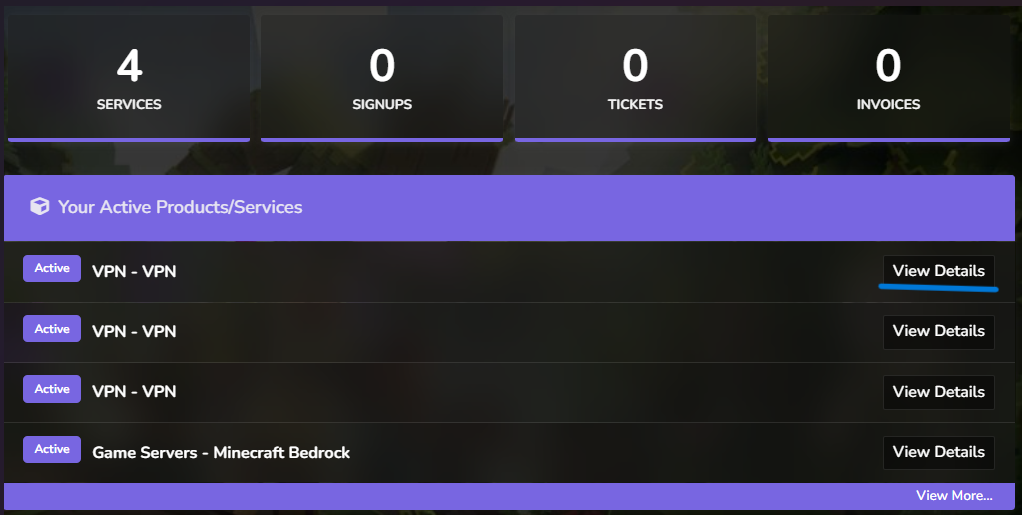
Then in your client area locate your VPN subscription and click ‘View Details’
Step 2
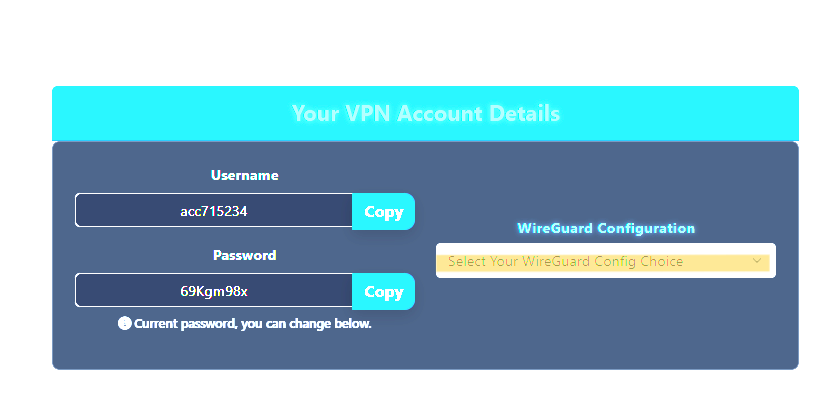
Scroll Your ‘VPN Account Details’ and click on ‘Select Your WireGuard Config Choice
Step 3
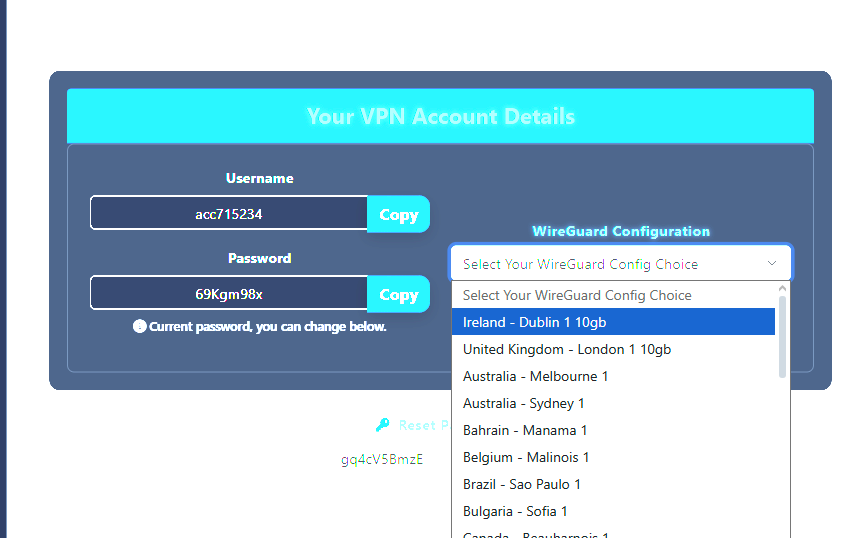
Choose your server locations in this example we will choose Ireland
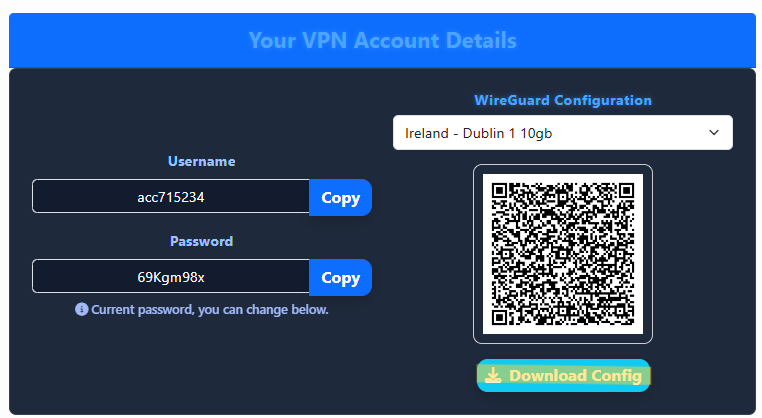
Once Selected hit the ‘Download Config’ Button
Step 4
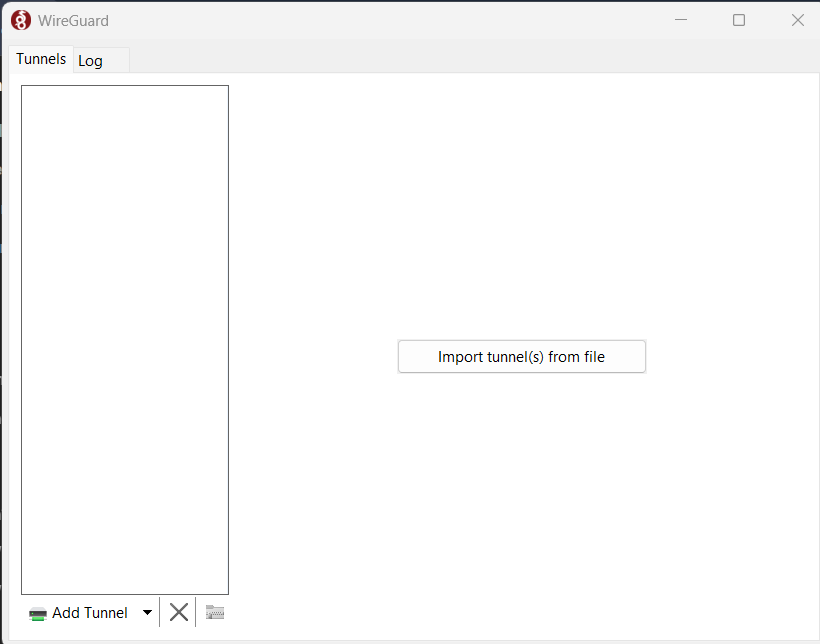
Open up your WireGuard App in this example we will be using Wireguard for Windows
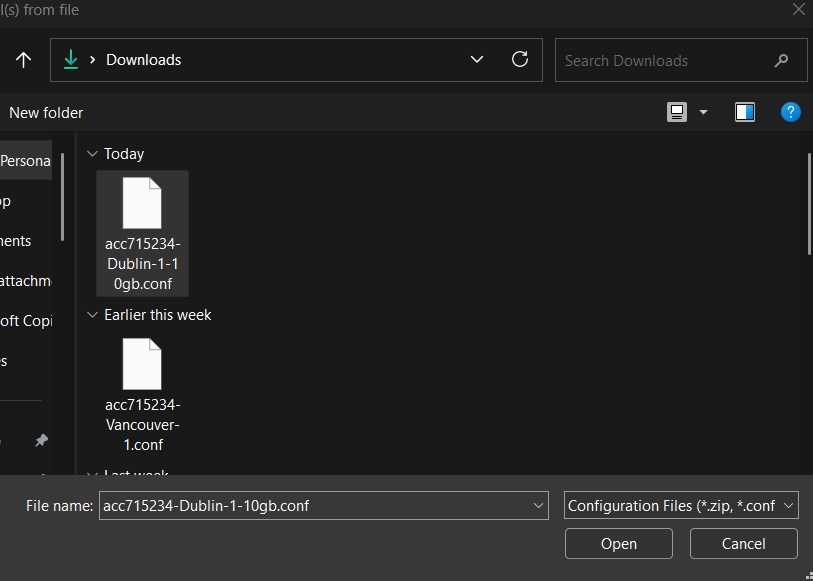
Select Import File and select the file you downloaded in Step 3
Step 5
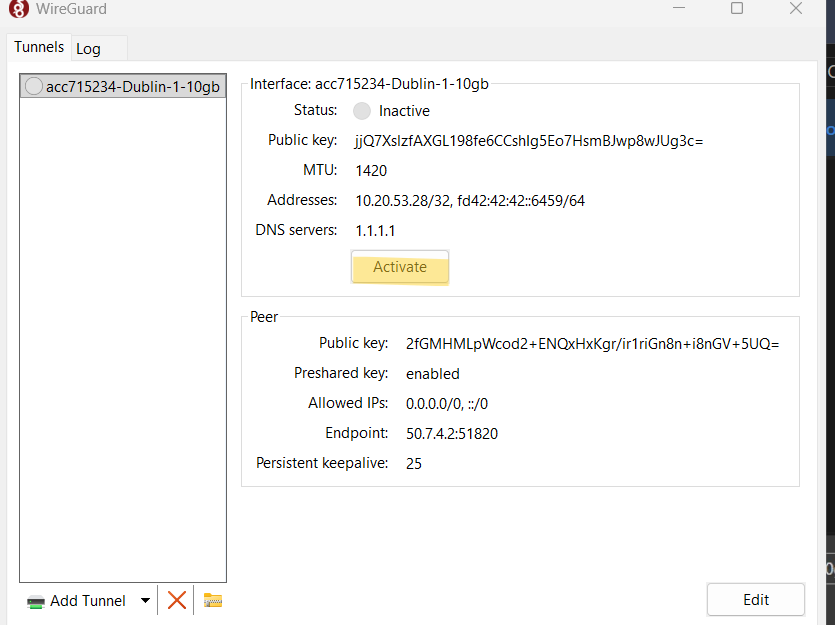
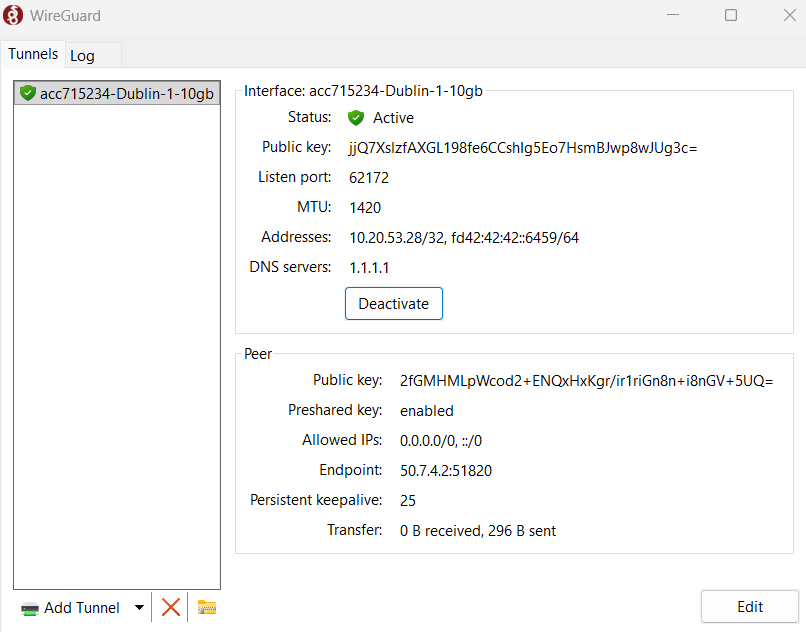
Your Wireguard Config will now be ready to use simply click active or connect to then use your connection!
If you have any issues with this set up please reach out by Opening a Ticket in our Discord Server and someone will assist you!!